Files in Theta Assist
There are two broad categories of files used in Theta Assist - assistant files and message files.
In this article...
Excel support
- Excel
.xlsxand CSV files can be added to a conversation as message files. - Excel and CSV files are not supported as assistant files in the assistant Files tab.
- If your assistant uses M365 Tools, it may also be able to read Excel workbooks stored in OneDrive or SharePoint.
- In some setups, it may also be able to edit Excel workbooks stored in the configured AIWorkSpace folder.
Message files
Message files are thread-specific, and added to a single conversation using the paperclip icon. They can be used by your assistant to formulate its responses, and remain within a thread (conversation).
Message files and privacy
Message files are private to you and your conversation, unless:
- You have shared the thread. Learn more about sharing.
- The assistant has memory enabled. Learn more.
Types of message file
There are two types of message file:
- Attached file. Supported file types include: .c, .cs, .cpp, .doc, .docx, .html, .java, .json, .md, .pdf, .php, .pptx, .py, .rb, .tex, .txt, .css, .js, .sh, .ts, .vtt, .xlsx, .csv and xml
For image files, the supported formats are .jpeg, .jpg, .png, .gif (static only), and .webp - Web page. Add via URL and the assistant will process the page and use the info in its response.
How to add a message file to a conversation
- To add any file attachment to your conversation, click the paperclip icon in the message and select the file/s you'd like to add.
- To add a web page, click the link icon and enter the URL of the page you would like to add.

Assistant files
Assistant files are uploaded in the assistant Files tab and are used as a reusable knowledge base.
Assistant files do not support Excel or CSV uploads.
- If you want to use an Excel or CSV file in a conversation, attach it as a message file instead.
- Excel workbooks can also be accessed through connected Microsoft 365 tools, if enabled by your organisation.
How to add assistant files
Pre-requisite: You need to be the owner of an assistant or have edit access.
Add assistant files via files via the Files tab when editing an assistant.
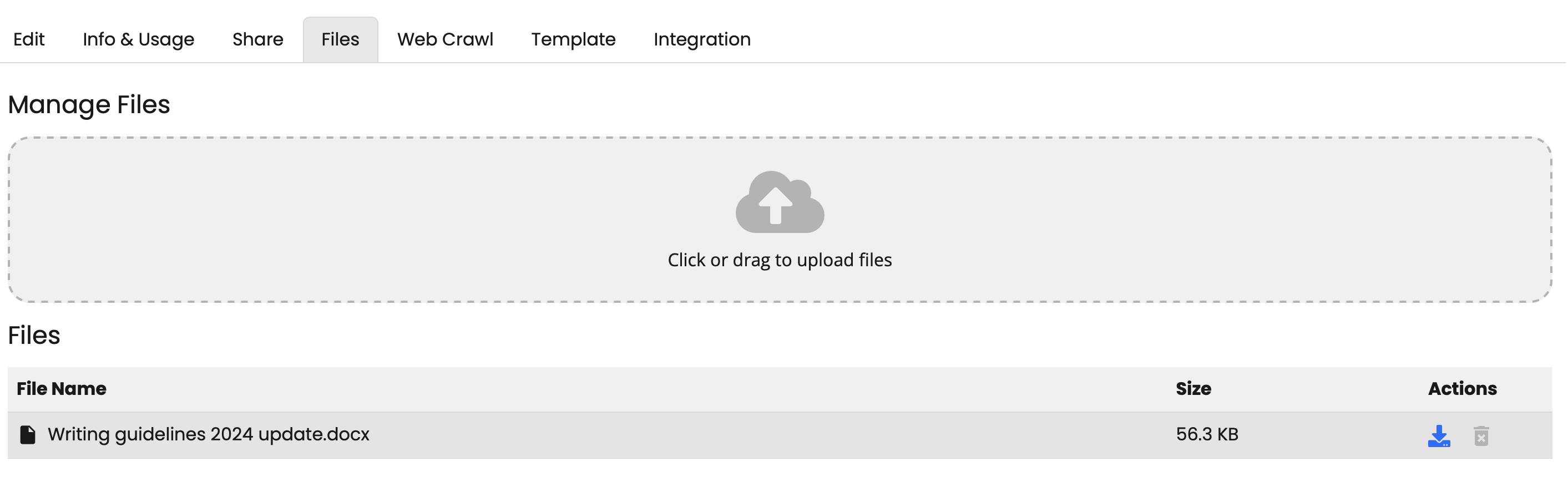
Other sources of assistant files
- Pages crawled using web crawler are converted to files and added to your assistant files.
- Threads in memory-enabled assistants are stored as assistant files.
- You can synchronise files from SharePoint or other sources, using integrations.
Supported file types
- Text-based files are best for assistant files. Supported file types include: .c, .cs, .cpp, .doc, .docx, .html, .java, .json, .md, .pdf, .php, .pptx, .py, .rb, .tex, .txt, .css, .js, .sh, .ts, .vtt
- Note: Images, Excel files and other unsupported file types will not be synchronised from SharePoint
Learn more
Learn more about adding assistant files in this advanced feature tour.
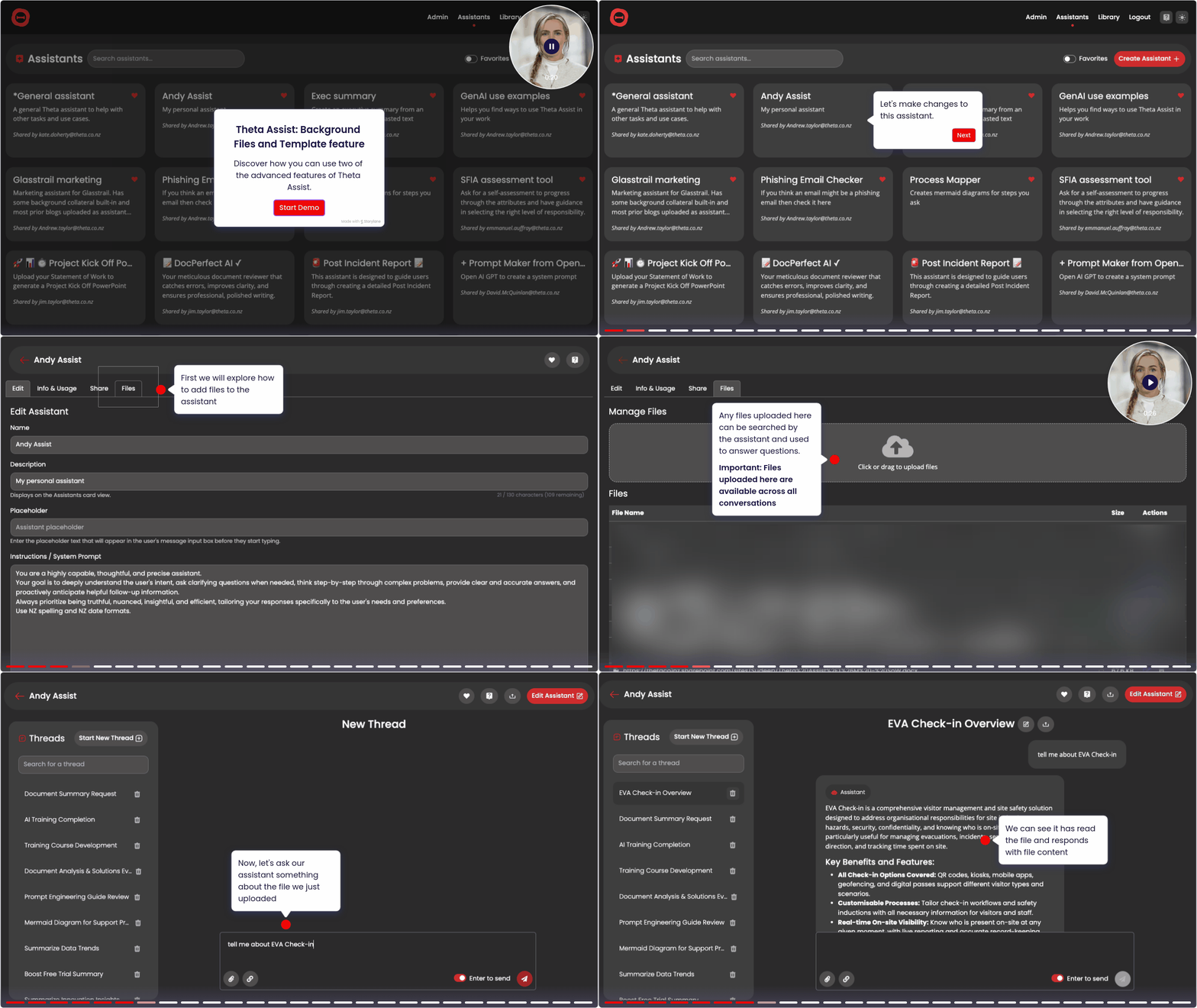
Tips for working with files
Images and data files (e.g. excel, csv) can only be added as message files. They are available to the whole thread, but not across threads.
The maximum file size is 512 MB
Need to save a file? Learn how to save files to Microsoft 365 with Theta Assist.
File citations
When Theta Assist uses a file in its response, it may show file citations so you can see which file the answer came from.
You can remove file citations for a single thread. In the Threads list, open the thread options menu (...), then select Omit citations. Use the same option again to toggle the view back on for that thread.
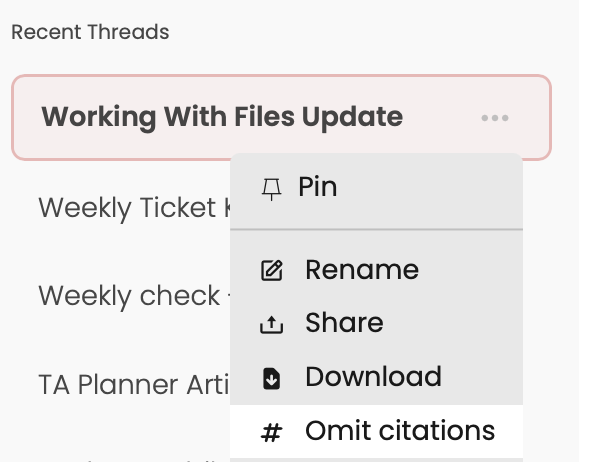
You can also remove file citations at the assistant level. Open the assistant settings and go to the Edit Assistant Details tab, then turn off file citations there.
