Assistant memory
Assistant memory, when enabled, allows an assistant to access all conversations with that assistant that have been added or edited after memory is enabled.
Memory applies across all users of an assistant.
How do you know if memory is enabled?
When using an assistant with memory turned on you will see a privacy notice at the top of the input box: "All conversations in this assistant are saved to its memory”.
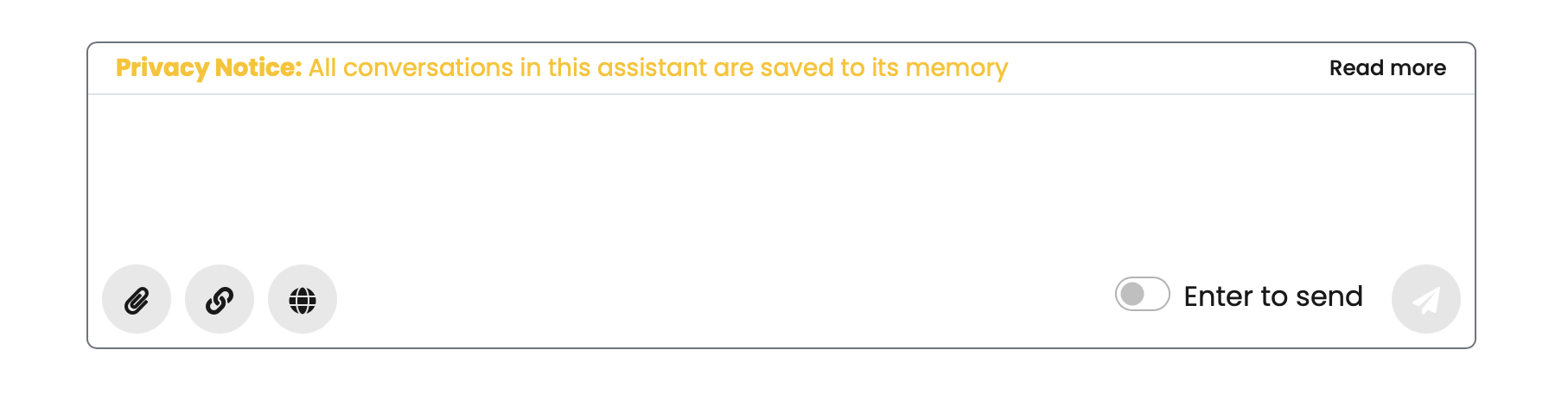
How to enable memory
Memory is an advanced option. To enable advanced options (if permitted), check the advanced options box when editing your assistant. You will then see the memory option.
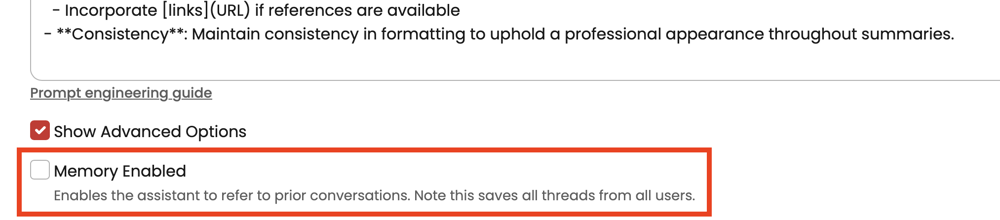
Memory and privacy
- If a memory-enabled assistant is a shared assistant, people can ask the assistant to reveal what other people said to it.
- Any user with access to the assistant can ask questions about any other user's conversation.
- Exercise caution when enabling memory on shared assistants.
Learn more about sharing and sensitive information in Theta Assist.
How to remove things from memory
If you delete a thread, it will be removed from an assistant's memory.
Ways to use memory
When used in a personal assistant, memory could help you retrieve information you have stored earlier - like an AI task list or note taker.
In a shared assistant, you might try to use memory for something like a project assistant that can learn from all team members and could answer questions like 'what was David's last status update?’.