Library
Use the Library to find assistants you can access, manage what appears on your Home page, and request access to assistants you need.
The Library is useful when you want to browse available assistants, open one you already use, or tidy up what appears on your Home page.
Quick links
What you can see in the Library
The Library shows assistants in a list view.
This can include:
- assistants you created
- assistants shared with you
- assistants that are visible in the Library and not hidden
Assistants are listed in alphabetical order.
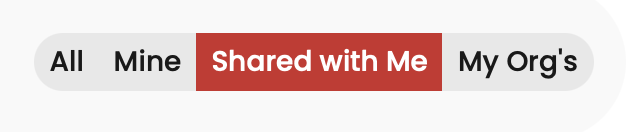
You can also switch between tabs to quickly view assistants that are most relevant to you, such as assistants you created or assistants shared with you.
Quick guide
Find assistants
- Open Library.
- Review the list of assistants shown.
- Use the available tabs to narrow the list, for example to assistants you created or assistants shared with you.
- Sort by name, Description, Author, or whether the assistant is certified.
- Search by assistant name or author
Add or remove an assistant from Home
Use the house icon to control whether an assistant appears on your Home page.
- Open Library.
- Find the assistant you want to change.
- Click the house icon to add it to your Home page.
- Click the house icon again to remove it from your Home page.
Adding an assistant to Home makes it easier to find from your main landing page.
Some assistants may be added by default to your home screen by your organisation.
Favourite or un-favourite an assistant
Use the heart icon to mark an assistant as a favourite.
- Open Library.
- Find the assistant you want to favourite.
- Click the heart icon.
- To remove it from favourites, click the heart icon again.
When an assistant is a favourite, it appears at the beginning of your Home page. You can also apply a toggle on your Home page to only show your favourites.
Open an assistant or request access
- Open Library.
- Find the assistant you want to use.
- Click the arrow icon to access the assistant; or
- Click Request to request access. An e-mail is automatically sent to the assistant owner when you click Request.
Home vs favourite
Home and favourites both control assistant display on your home screen.
- Add to Home controls whether the assistant appears on your Home page.
- Favourite helps prioritise an assistant by moving it to the beginning of your Home page. You can also toggle a switch on your home screen to just see your favourites
If you use an assistant often, you may want to both add it to Home and mark it as a favourite.
Hide an assistant from the Library
If you created an assistant, you may not want it to appear in the Library while you are testing it or if it is intended for limited use.
- Open the assistant you want to change.
- Click Edit assistant.
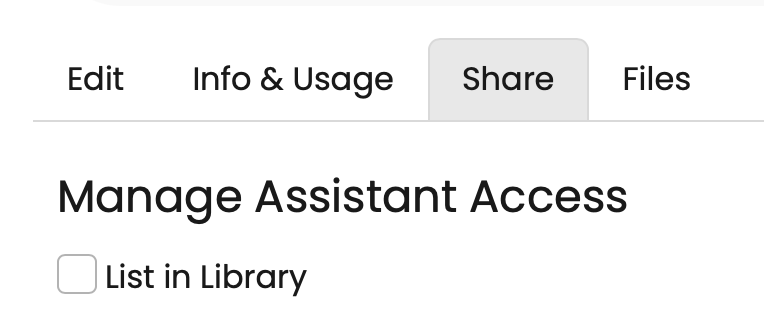
- Open the Share tab.
- Clear List in library.
- Save your changes.
Troubleshooting
I cannot see an assistant in the Library
Make sure you are not using a filtered view - select the All tab.

Use search to search by name or author.
Still can't see it? This may mean the assistant is hidden from the Library. Contact the assistant owner to request access.
I can see an assistant, but I cannot open it
Click the arrow icon. If you do not already have access, you will get the option to request it.
I added an assistant to Home, but I still cannot find it easily
If you use the assistant often, click the heart icon as well to mark it as a favourite. Favourites appear at the beginning of your Home page. You can also apply the favourites toggle so you just see your favourites:
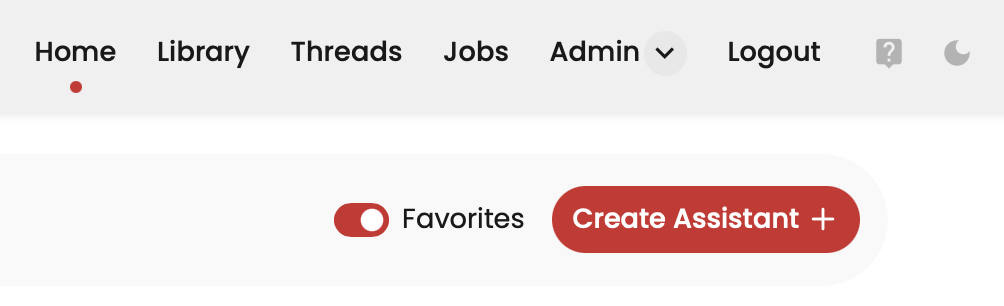
You can also use the search function on your Home screen to search for an assistant on your home screen:
