Adding tools and connectors to your assistant
Tools and connectors enable assistants to interact with external services like Microsoft 365 and Google Workspace as well as custom MCP servers. This can unlock smarter workflows, more meaningful insights and AI actions that are grounded in your business processes and data.
If your organisation has configured connectors and MCP servers, this guide will help assistant authors to enable them for their assistants.
See also:
What connectors are available?
To see any tools and connectors that have been configured for your organisation:
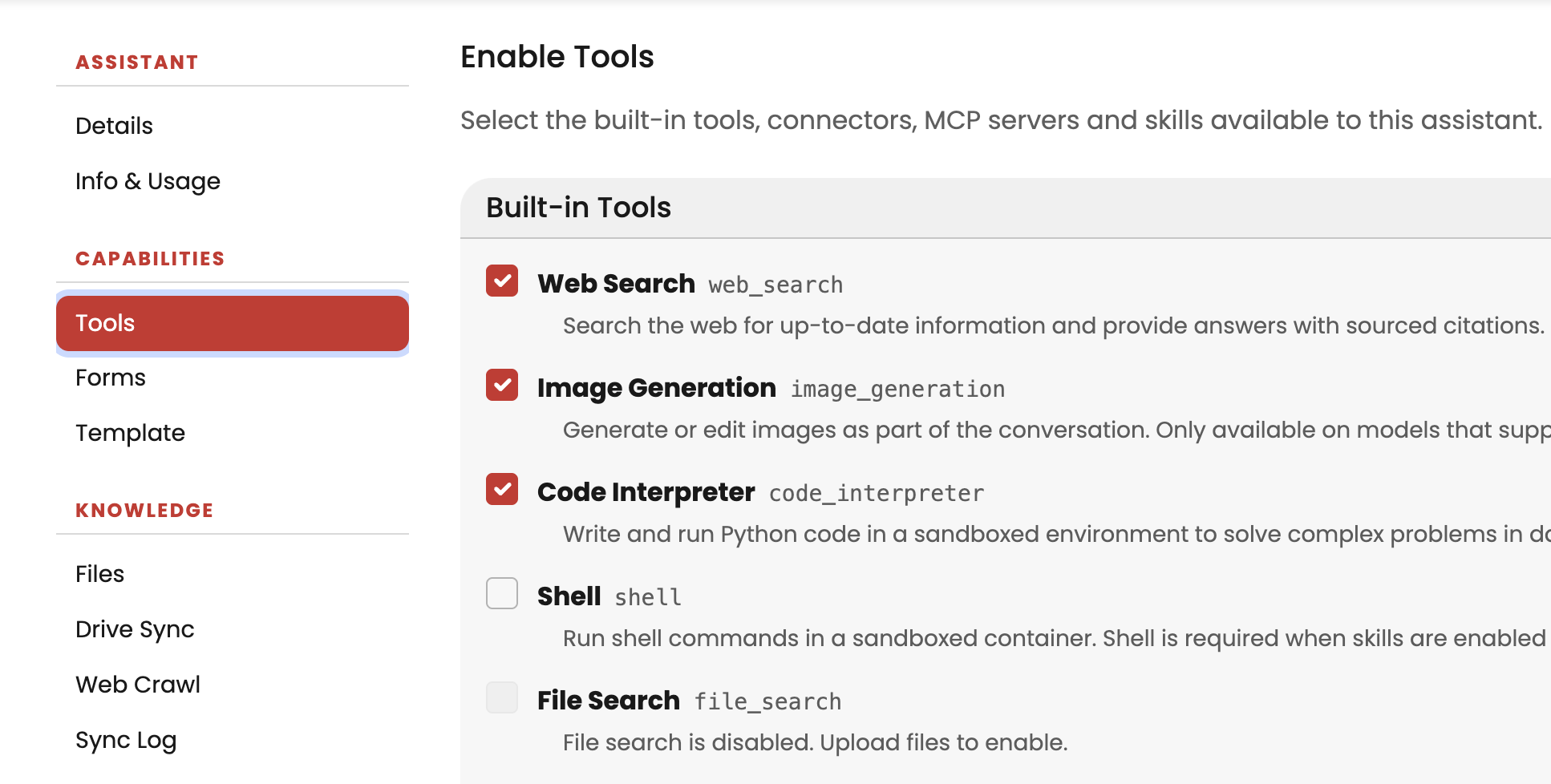
- Navigate to Capabilities > Tools for your assistant (ensure that Show Advanced Options is enabled)

- Review the list of configured tools and connectors. They are grouped as Built-in tools, Open AI Connectors and MCP Servers.
How to enable a tool
Note: Connectors are not supported on OpenAI models released from 1 September 2026 onwards. If your assistant needs Microsoft 365 access on a newer model, use M365 Tools instead.
To enable a tool, connector or MCP server, simply check the box next to your chosen connector or connectors. It is then available to your assistant.
If you see a red dot next to the wrench icon, you may need to authenticate that tool. Click the wrench to start the authentication process.