Use skills in Theta Assist (beta)
Skills help assistants complete repeatable tasks more consistently. A skill is a reusable workflow package that can be installed and reused across assistants. It can include instructions, examples, and code. Once a skill is created and enabled, an assistant can automatically use it when it is relevant to the user’s request.
Quick links
What a skill is
A skill is a reusable, shareable workflow that tells an assistant how to do a specific task more consistently.
A skill can include:
- instructions
- examples
- code
For example, a skill might help an assistant:
- write executive summaries in a consistent format
- produce presentation decks that align with house style and branding
- follow a defined workflow for a repeatable task
Skills can be installed once and reused across assistants. After a skill is enabled, an assistant can automatically use it wherever it is helpful.
When to create a skill
A good rule of thumb: create a skill when a task is repeated, has a preferred format, or requires consistent judgement, tone, or process.
Who can add skills?
Users with the assistant-mcp-editors role or the sysadmin role have permissions to add skills. If you are interested in creating skills, please contact us in the first instance.
How skills are managed
Skills can be enabled in 2 ways.
Global skills
- Global skills, once added, can be enabled across multiple assistants.
- If permissions should be restricted (i.e. not available to all users), you can use access profiles to manage access to a skill.

- Global skills appear in each assistant’s Tools section (provided the assistant author/editor has access to that skill) and must be enabled on each assistant that should use them.
- Assistant editors/authors can enable global skills on their assistants.
Assistant skills
Assistant skills are uploaded directly to a specific assistant.
These skills are scoped to that assistant and are always active for it once configured.
Upload a global skill
Use this option when you want to make a skill available across multiple assistants.
- Go to Admin > Tools > Skills.
- Make sure the Global tab is selected.
- Select Upload skill.
- Choose Upload file or Upload folder.
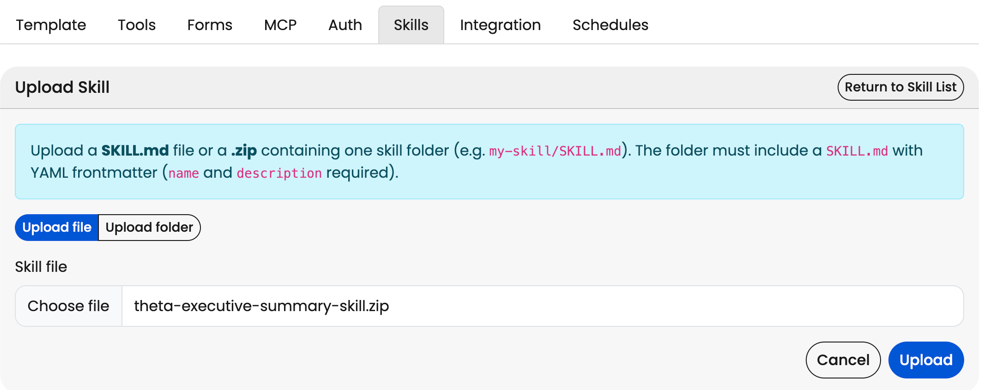
- Select the skill you want to upload. This can be a SKILL.md file, or a .zip file containing one skill folder, for example my-skill/SKILL.md. The folder must include a SKILL.md file with YAML frontmatter. The name and description fields are required.
- Select Upload.
- Return to the skill list and confirm the skill appears in the global list.
- If needed, choose an Access Profile to control who can use the skill.
- Enable the skill on each assistant that should use it.
Upload an assistant skill
Pre-requisites
- Edit permissions on that assistant
- assistant-mcp-editors or sysadmin role
Set-up steps
- Open the assistant.
- Select Edit Assistant.
- Open the Tools tab.
- Make sure Shell is enabled.
- Open the Skills tab. If Shell is not enabled, you will see a warning telling you to enable it in Tools before uploading or enabling skills.
- Select Upload skill.
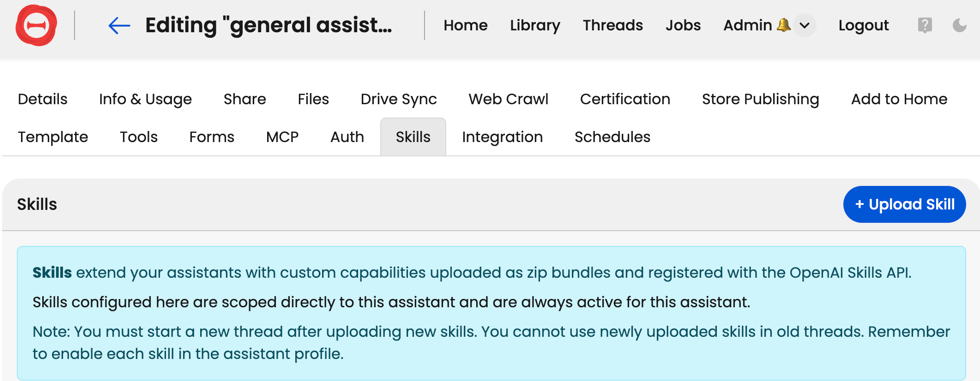
- Choose Upload file or Upload folder.
- Select the skill you want to upload. This can be a SKILL.md file, or a .zip file containing one skill folder. The skill folder must include a SKILL.md file with YAML frontmatter.
- Select Upload.
- Return to the skill list and confirm the skill appears.
Assistant skills configured here are always active for that assistant.
Enable a global skill
Use this option when a skill has already been made available by an administrator.
- Open Edit Assistant.
- Navigate to the Tools tab
- In the global skills section, find the skill you want to use.
- Select the checkbox next to the skill name.
- You will also need to ensure that Shell is enabled on that assistant.
Global skills are managed centrally, but they still need to be enabled on each assistant that should use them.
Use a skill in a thread
After a skill is enabled or uploaded:
- Open the assistant.
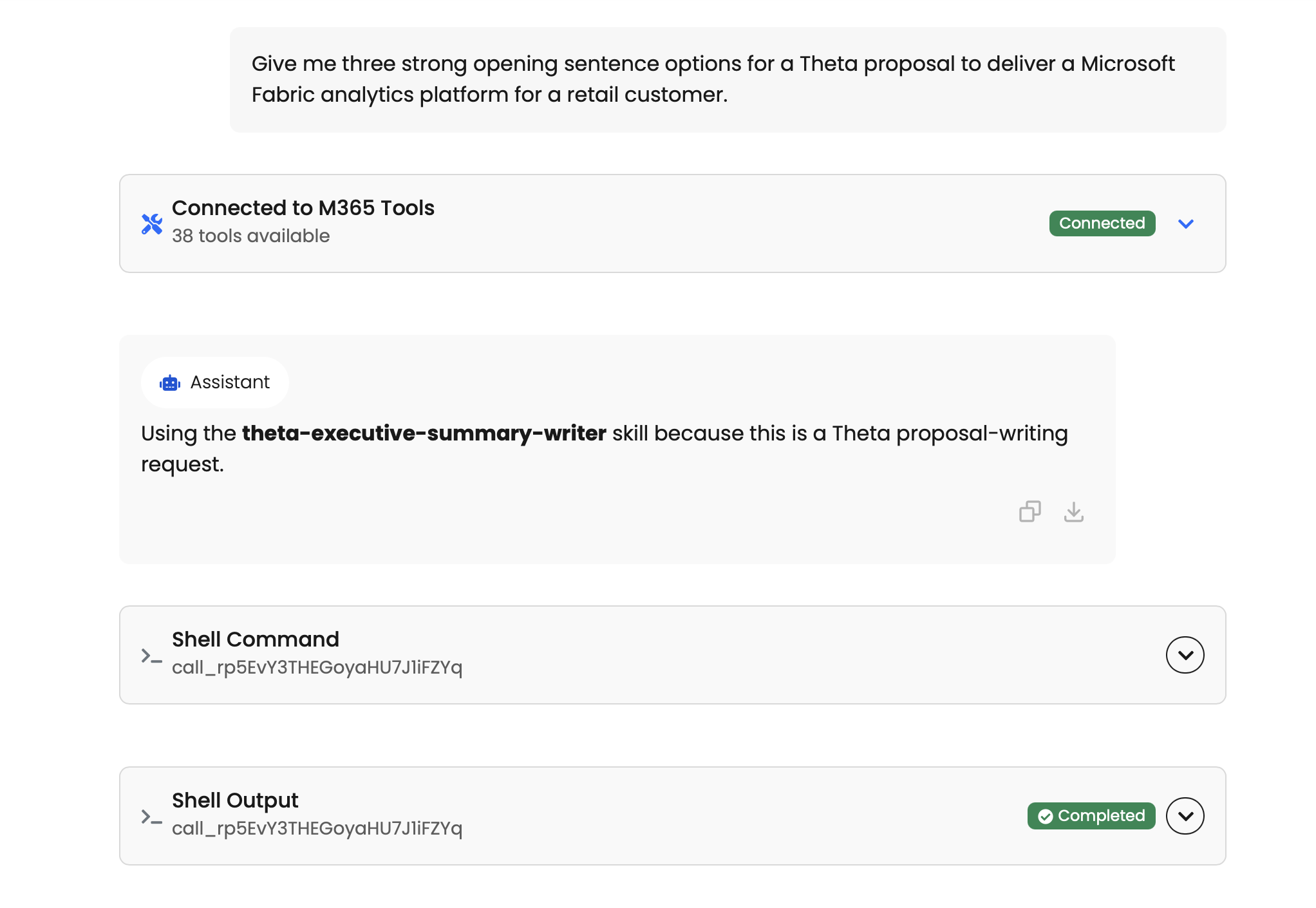
- Select Start New Thread.
- Enter a request that matches the skill’s purpose.
Theta Assist can automatically use the skill when it is relevant to the request.
Things to keep in mind
- Skills can be added globally or per assistant.
- To add skills, you must have the assistant-mcp-editors role or sysadmin role.
- Shell is required for assistant skills.
- Code Interpreter and Shell cannot be enabled at the same time.
- Newly uploaded skills do not work in old threads - start a new thread after uploading a skill.
- Assistant-uploaded skills are scoped to that assistant.
- Global skills are managed by administrators and then enabled on individual assistants as needed.
- Once enabled, Theta Assist can automatically use a skill when it is helpful.