File search
File search considers whether any available assistant files can help your assistant answer your query.
File search doesn’t look for exact word matches. Instead, numerical representations or “vectors” help the system grasp the meaning behind your words for better search results.
When you review file search results you may see the same file repeated multiple times. Each result points to a result for your search in the attached file, and is allocated a relevance score. For example -
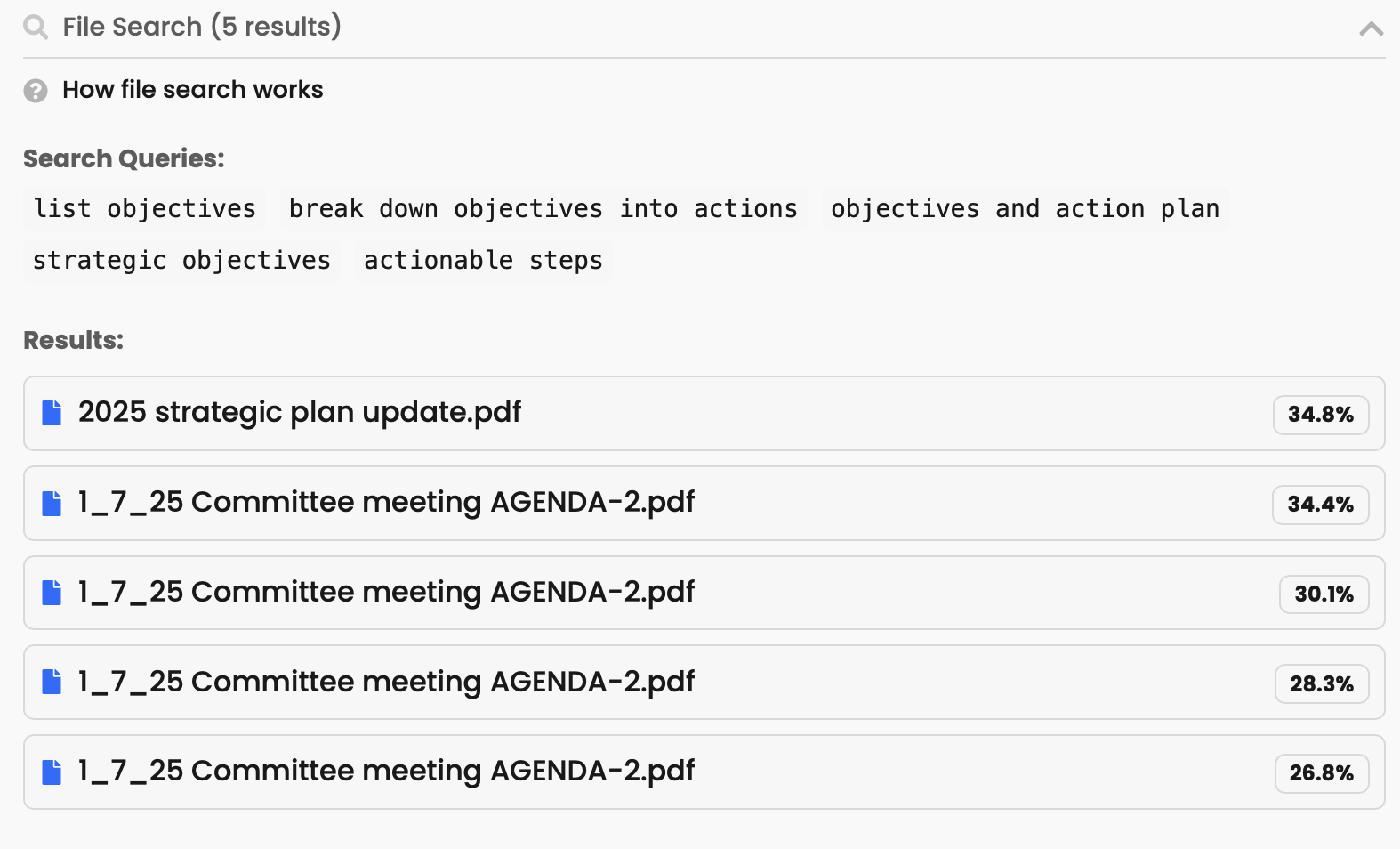
This approach ensures results are comprehensive, and you don’t miss relevant information within the file.
When is file search used?
If an assistant has assistant files - uploaded or synchronised files, threads in memory, or web crawl results - then file search can be used to help the assistant respond.
File search results are collapsed by default in a thread, and appear above your assistant answer.

How file search works under the hood
- When you upload a document it’s chunked (≈ 800‑token slices with 400‑token overlap), embedded and stored in a vector‑store.
- At question time the assistant calls the file search tool, which runs a hybrid vector + keyword query and returns only the top N chunks (currently up to 20) that score highest for that query.
- Those chunks—and nothing else—are injected into the model’s context. If a file never ranks in the top set, the model can’t “see” it and therefore can’t mention it.
What that means:
- The assistant never has the full file set in memory—only what file search returns for that specific query.
- Default retrieval pulls relevant snippets, not an inventory.