Feature limitations on BYO API key and Azure plans
Not all advanced features are available if you use your own Azure OpenAI service or BYO OpenAI API key. Key limitations:
Model choice
- On usage included and BYO OpenAI key plans, you can access new models as they become available in Theta Assist. Learn more.
- When using your own Microsoft Azure OpenAI service, available models need to be deployed by your admin. We will help you with this, please get in touch.
Model settings
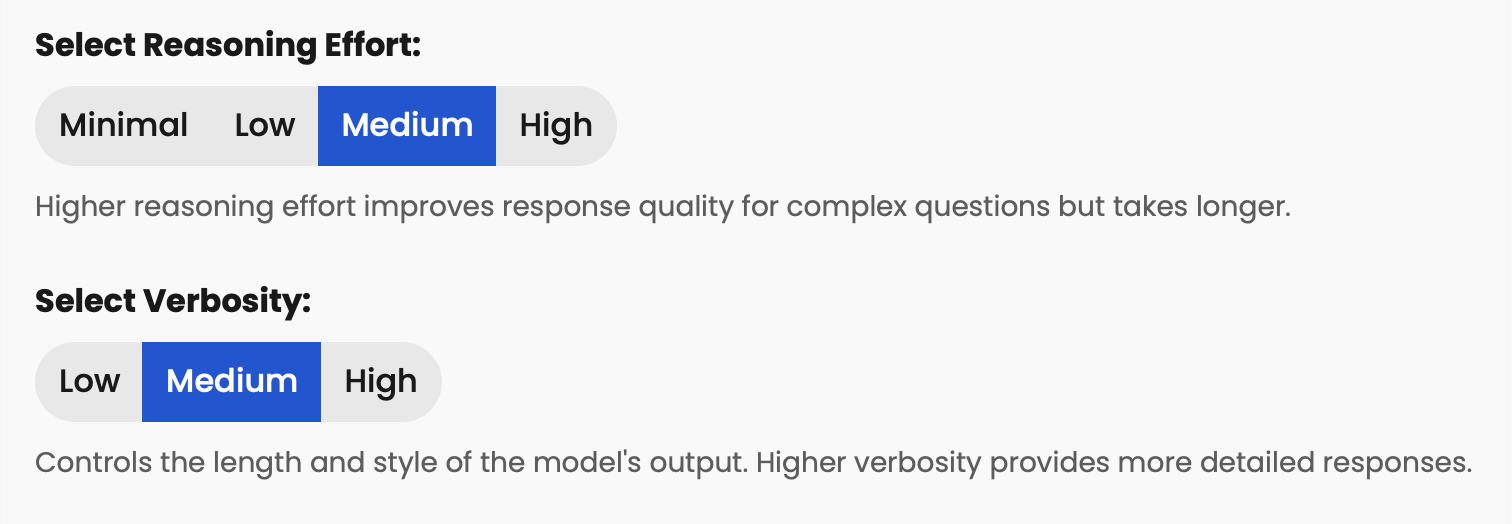
Some reasoning models have configurable reasoning and verbosity settings, as shown below. These settings are available when you change the model an assistant uses. To be able to adjust these settings, your organisation needs to complete a verification/registration process. This can also unlock some additional models and features.
Verification process: BYO OpenAI key
OpenAI documentation - API organization verification.
Registration process - Azure OpenAI service
Complete this form to register for access to the Azure OpenAI Service models gpt-5, o3, o3-pro, as well as deep research, and gpt-image-1
Once you have completed verification/registration, make sure (as an admin) to select "Organisation verified" on Admin > Models
Advanced features
Code interpreter
Not available if minimal reasoning has been selected (all plan types)
Image generation
Not supported when using own Azure OpenAI service
Image input
Maximum of 10 images per thread when using own Azure OpenAI service
Web search
Web search does work when using your own Azure OpenAI service, however the user experience is slightly different from that on other plans.