Use your own OpenAI key
To use Theta Assist with your own OpenAI key you will need to:
- Have or create an OpenAI account
- Create a project to use with Theta Assist
- Generate keys for this project
- Paste these into your Theta Assist configuration
Create your project
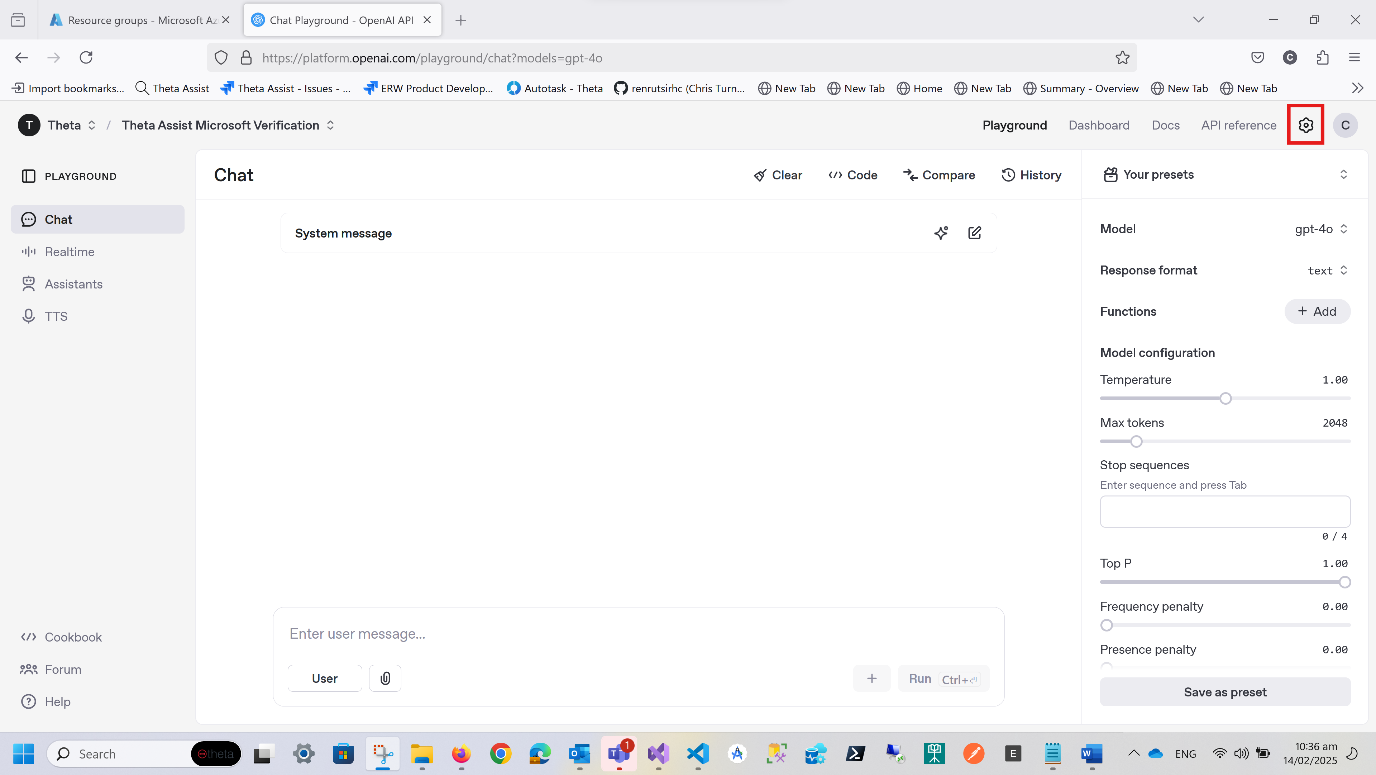
Login to Open AI’s platform at https://platform.openai.com using an account that has Owner permissions for your Organization. Once logged in, click on the settings cogwheel at the top right of the screen.
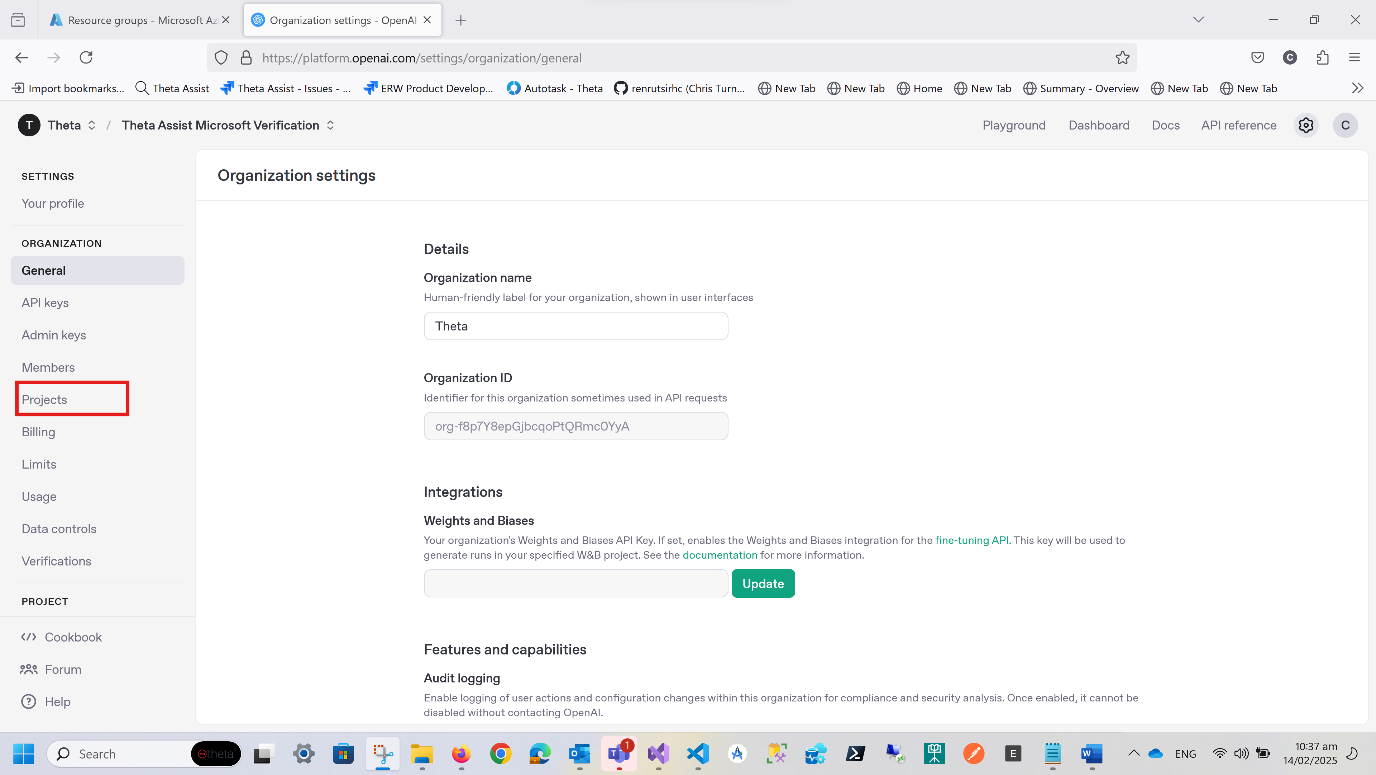
Now, in the main menu, select Projects under Organization
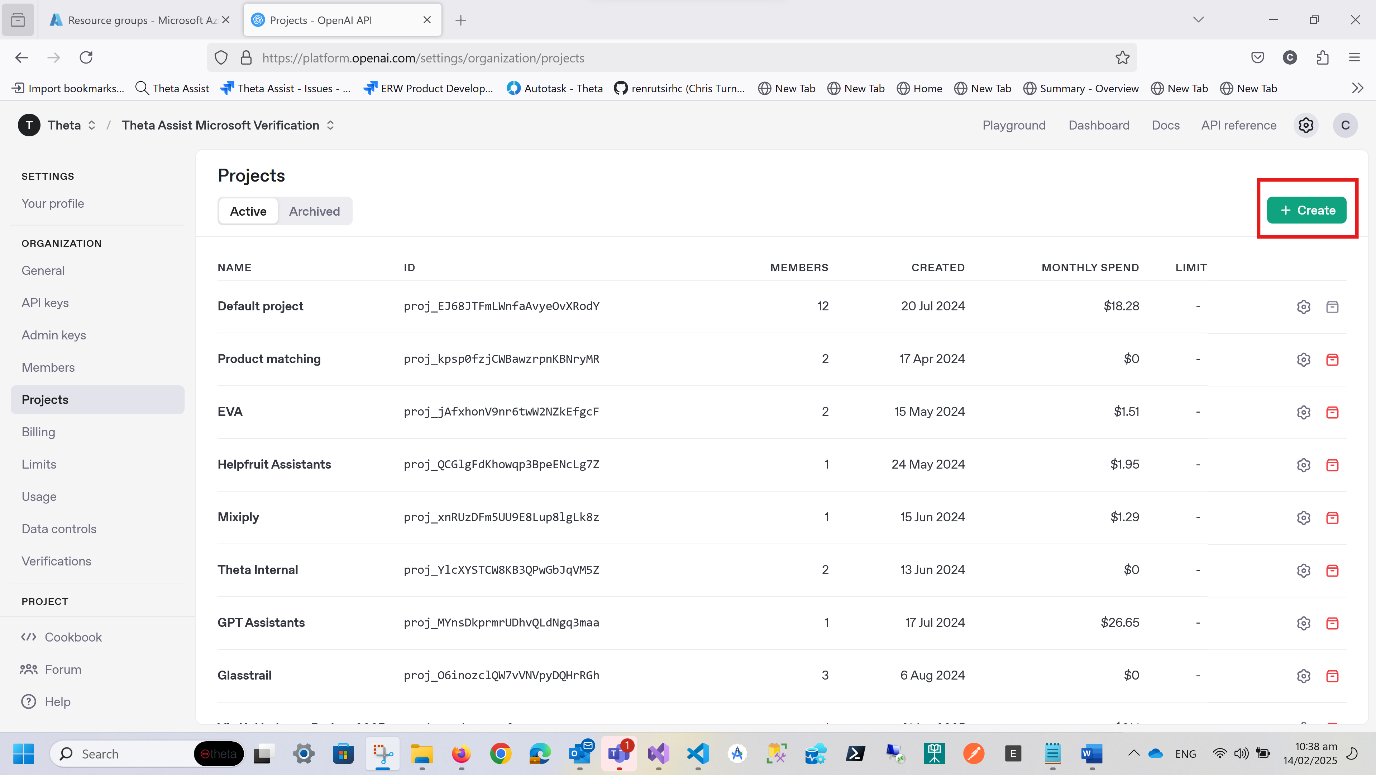
Press Create at the top right of the screen
Enter a name for your project such as ‘Theta Assist’
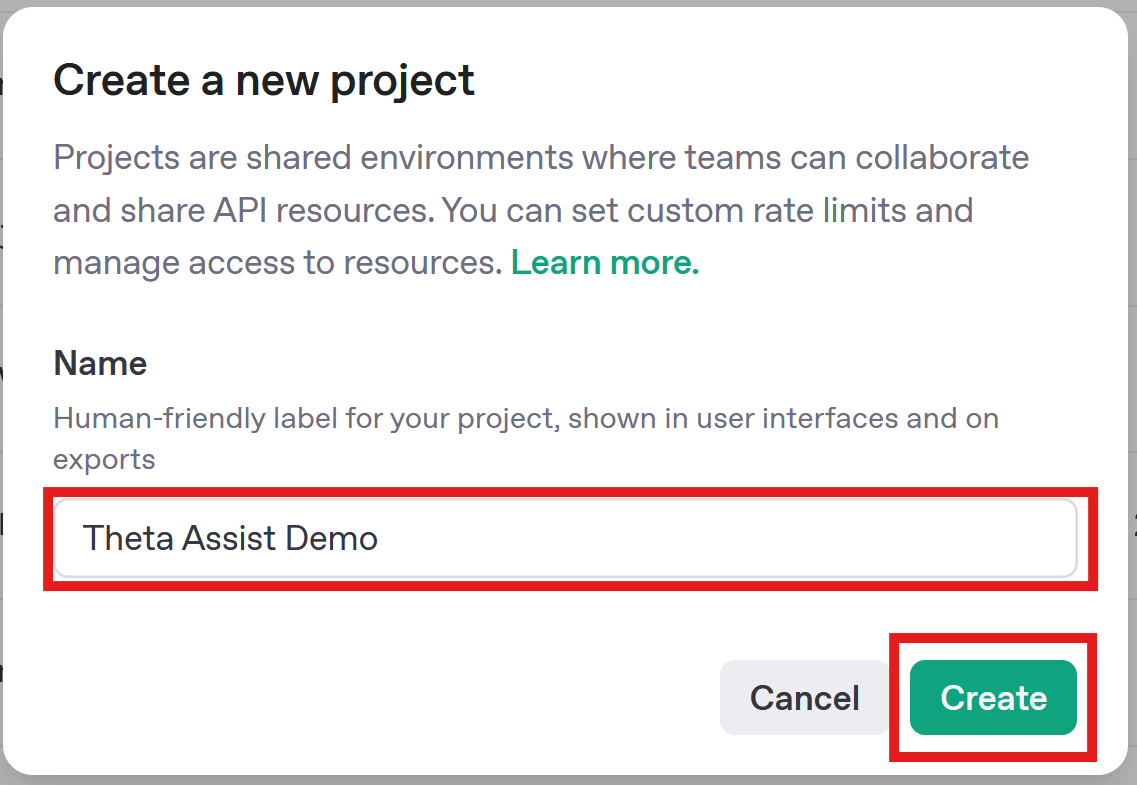
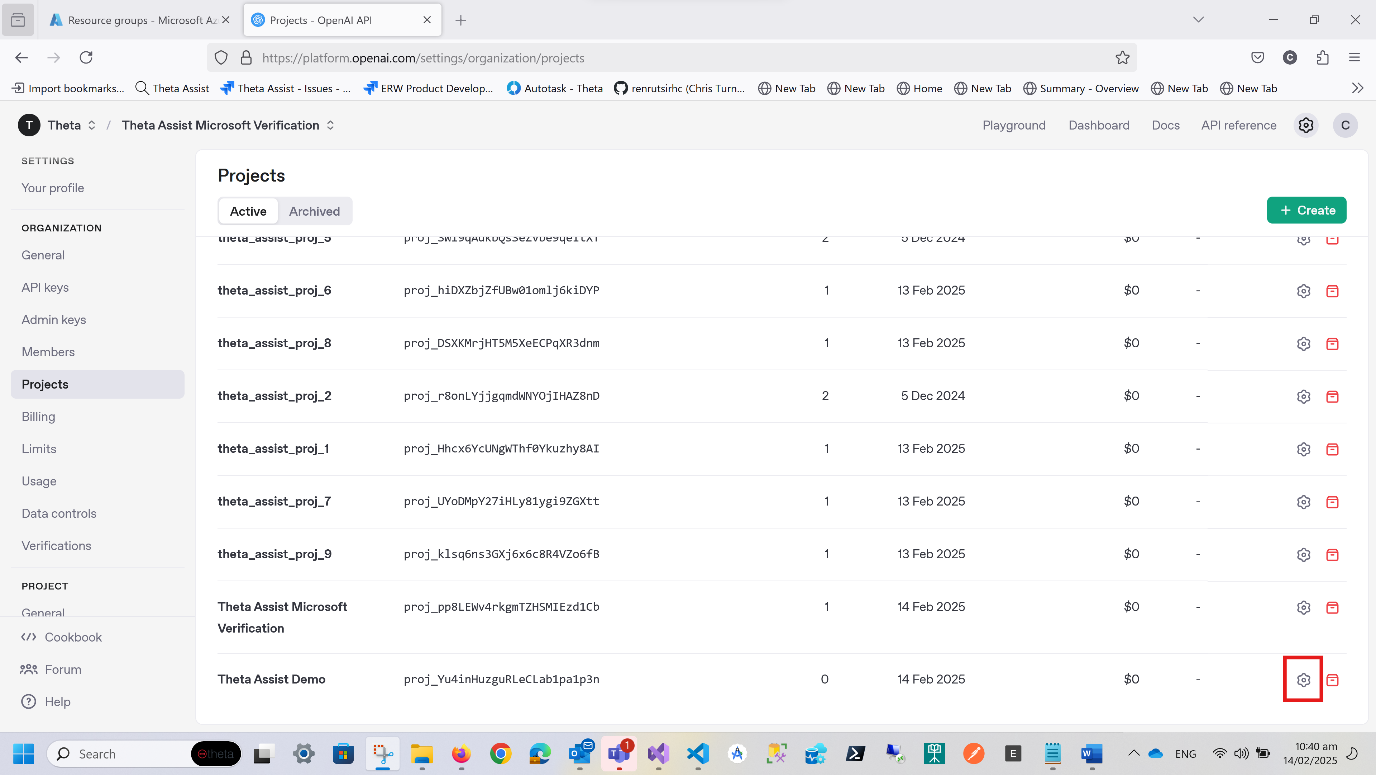
Once the project is created, you may need to refresh the page for it to show in the list of projects.
Generate your OpenAI API Key
Find your project in the listing and click on the settings cogwheel icon at the right hand side of the listing.
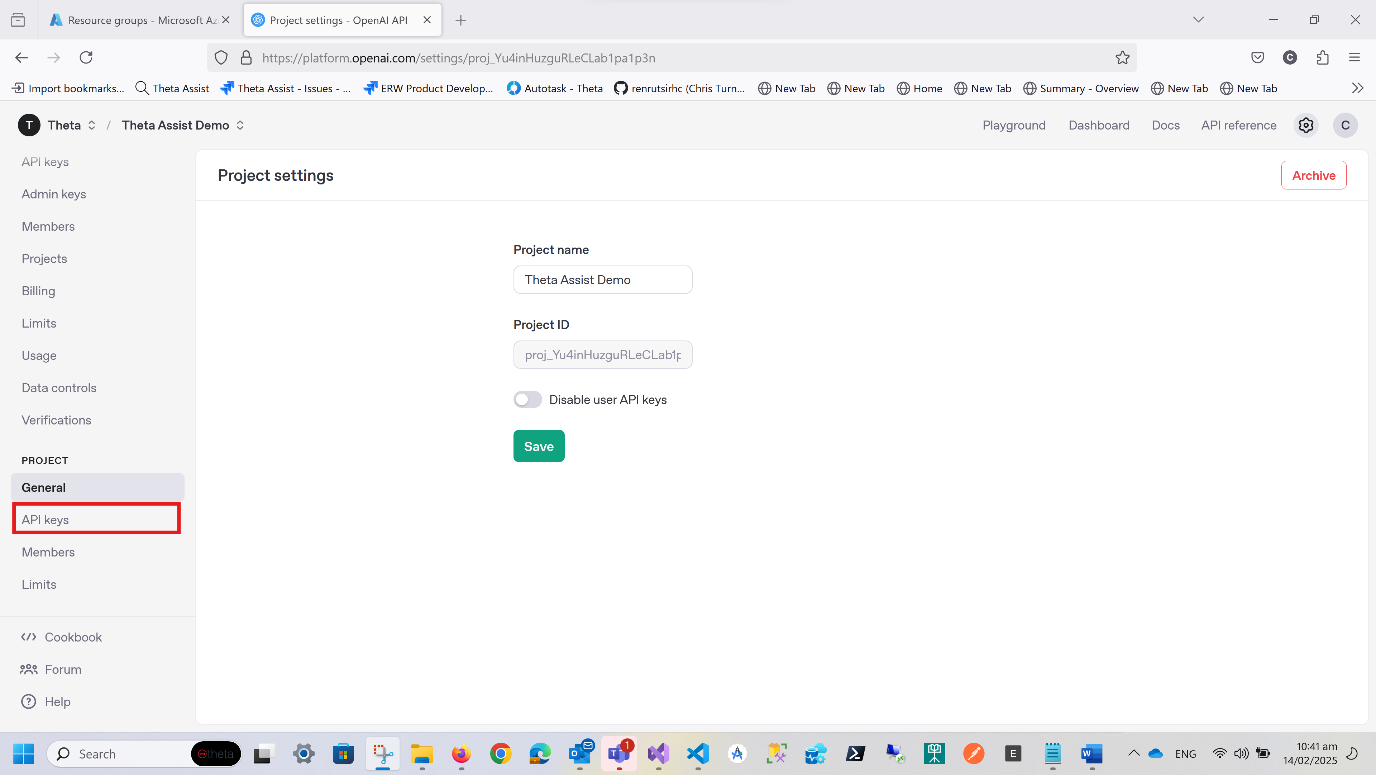
In the left hand menu, select API Keys under Project (NB – there is also an API Keys under Organization – not this one!)
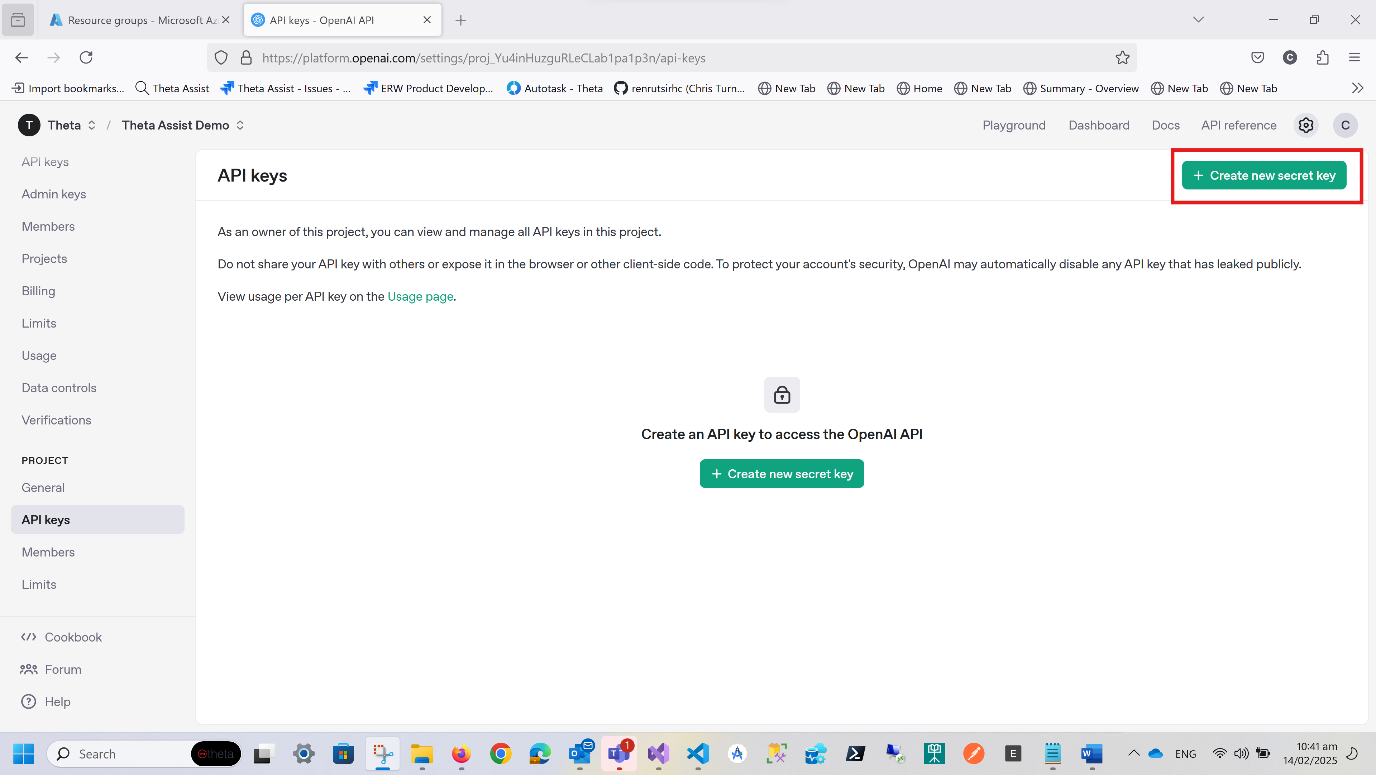
Click ‘Create new secret key’ in the top right of the screen
Click on the ‘Service’ account tab.
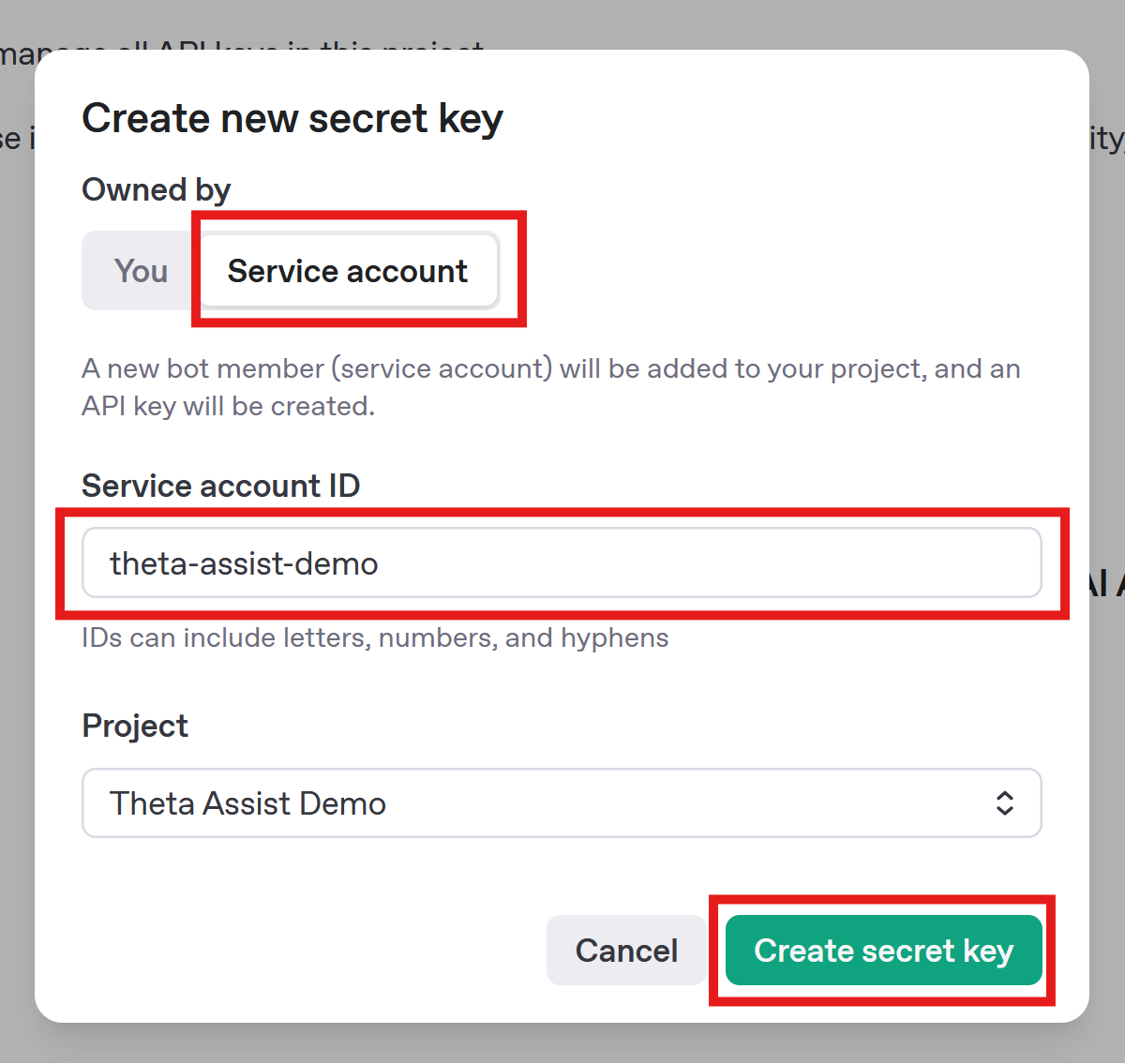
Enter a name for your service account and press ‘Create secret key’
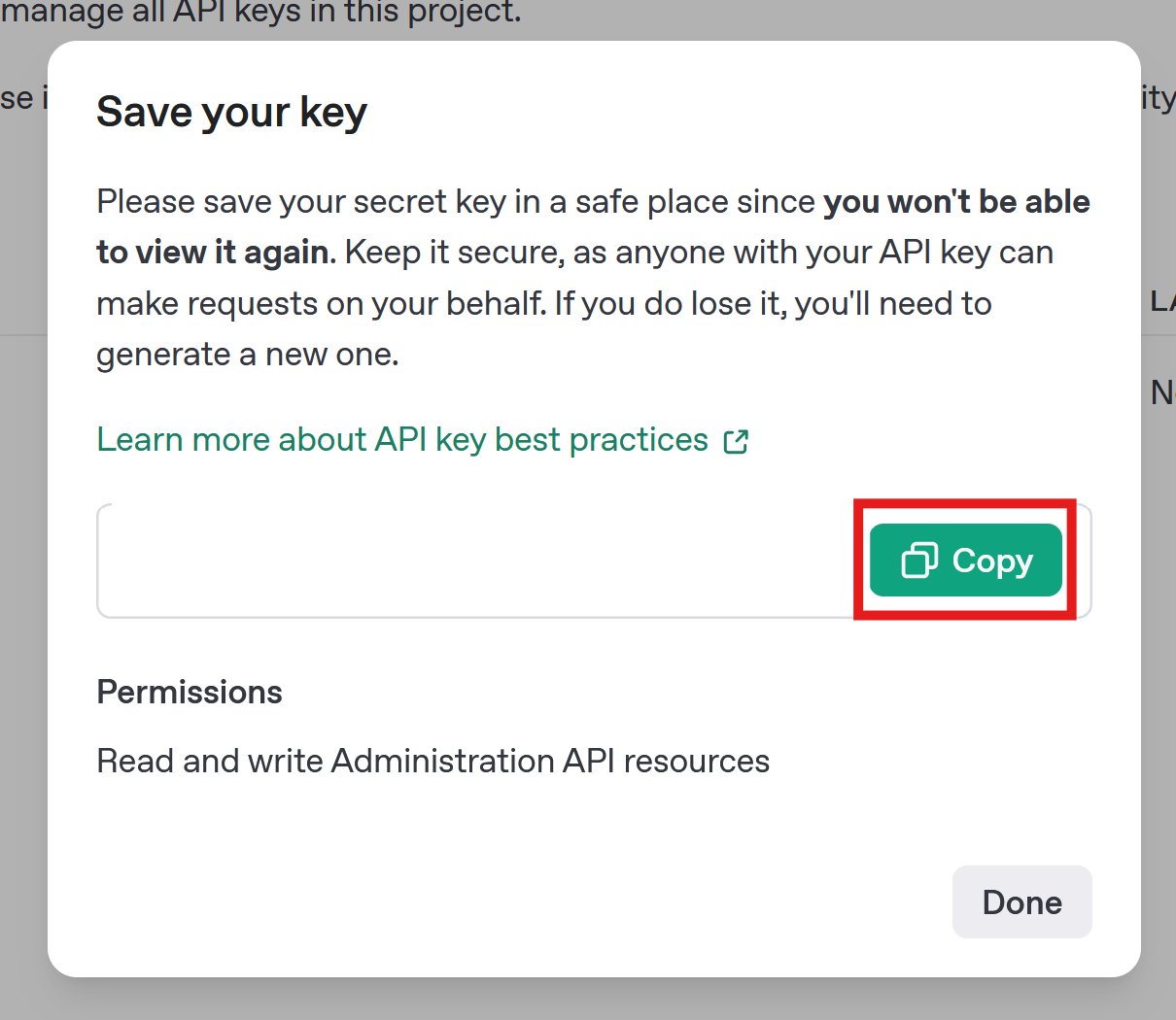
Copy the key and use it in your installation of Theta Assist