Use your own Azure OpenAI service instance
To use Theta Assist with your own Azure OpenAI service you will need to:
- Have or create an Azure OpenAI Service
- Generate API keys
- Add these keys to your Theta Assist
- (Optional) Contact Theta Support to configure a private endpoint connection for your Azure Open AI resource
Azure Open AI Service Setup
Follow the instructions in the Microsoft documentation to set up your Azure OpenAI Service instance. NB - if you would like to use a private endpoint connection for your Azure OpenAI Service resource, please complete the setup of the resource without the private endpoint. Then contact Theta support and we will be able to enable this for you.
When you get to the ‘Deploy a model’ step, be sure to use GPT-4o with a model version of 2024-05-13.
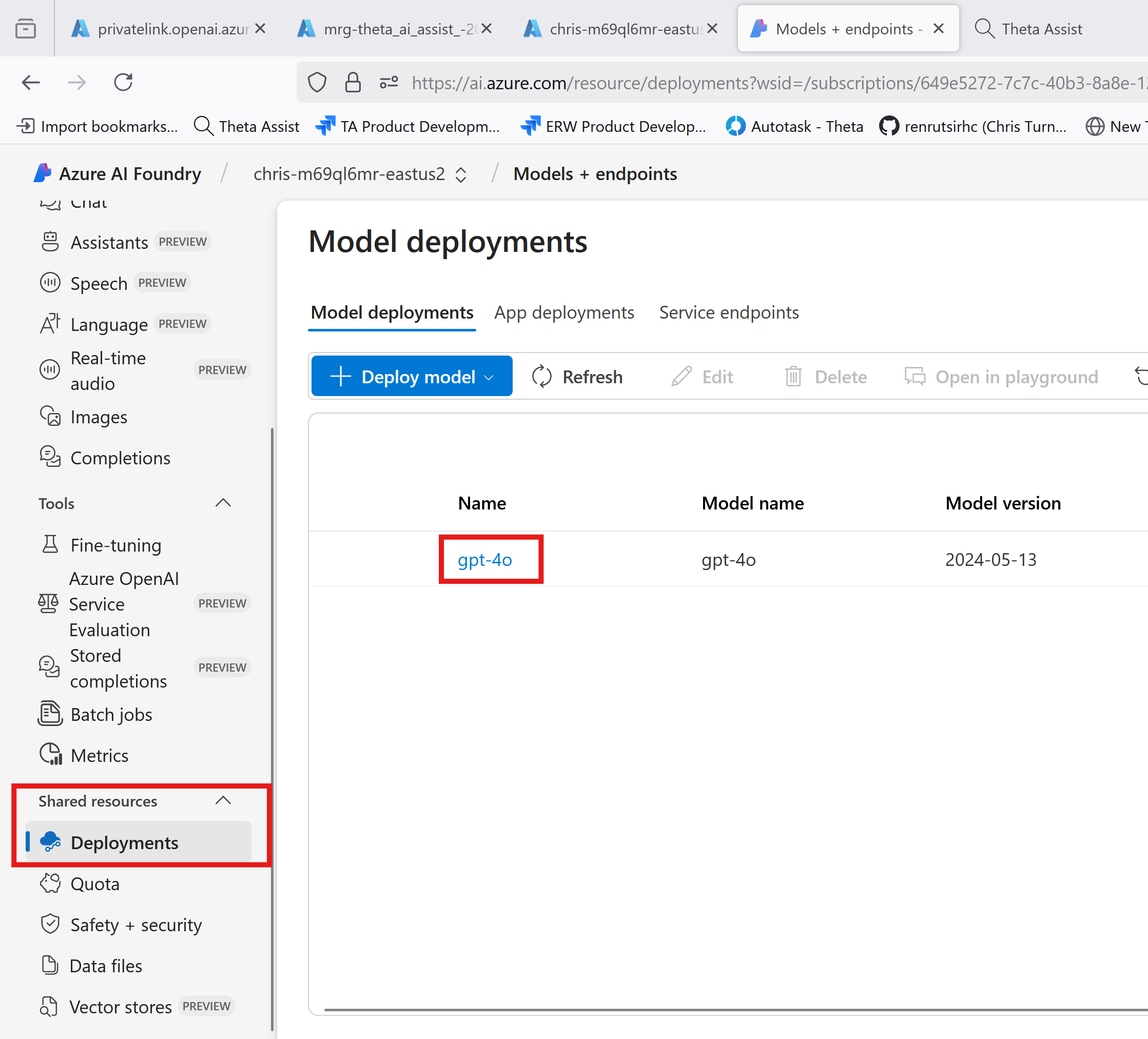
Once the model is deployed, go to Deployments under Shared Resources In the Azure AI Foundry portal. Click on your model from the list to open it.
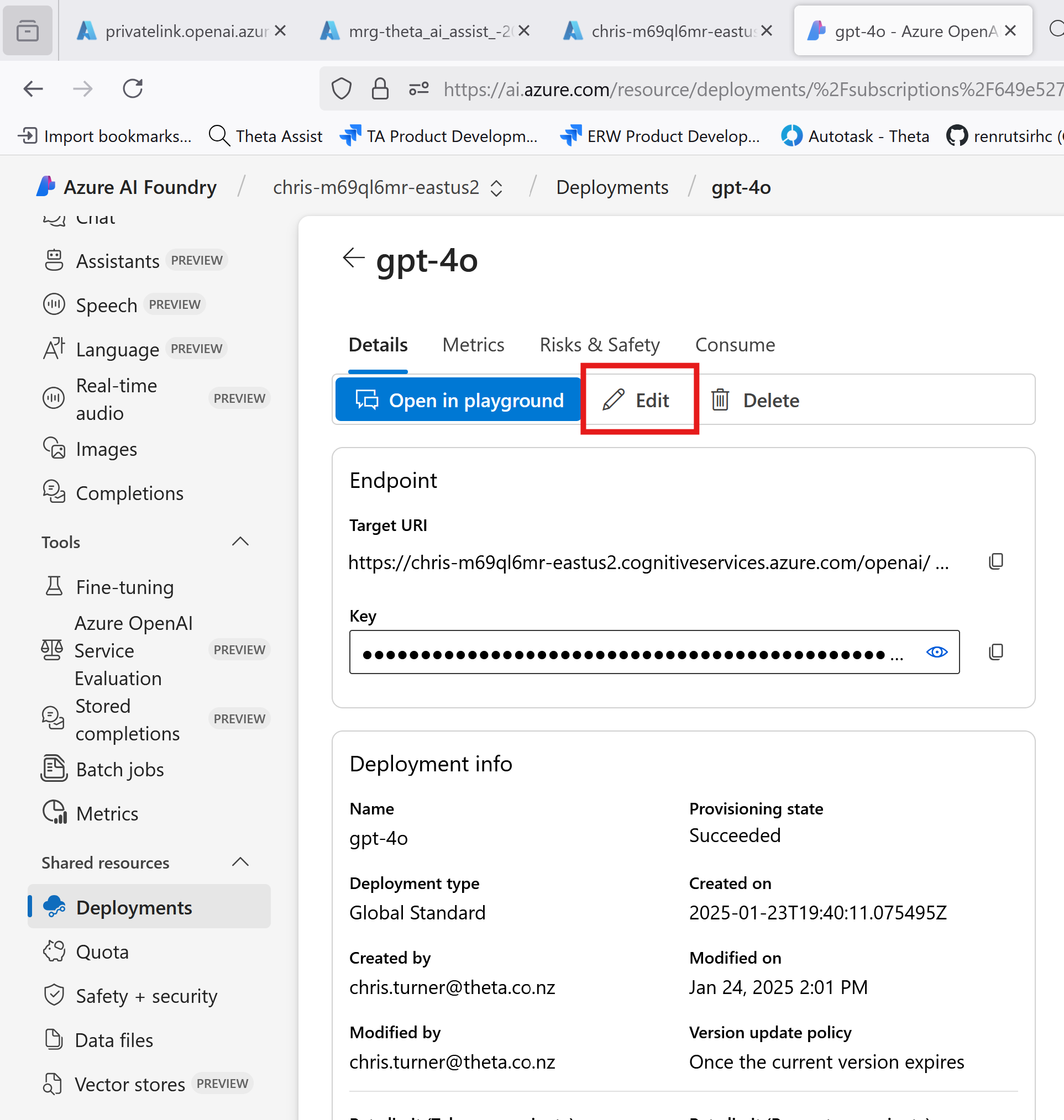
Click Edit to edit the model deployment.
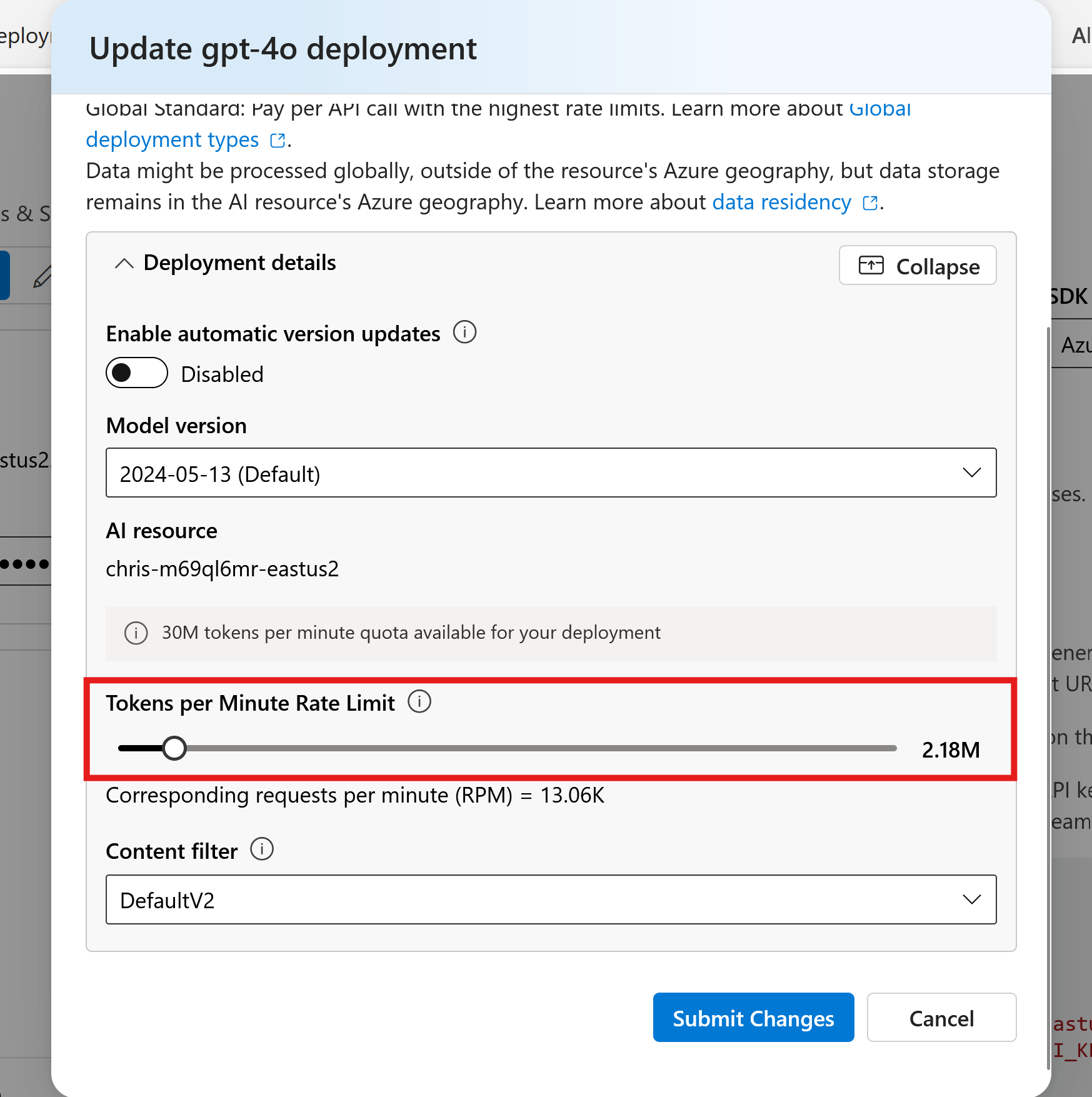
Adjust the Tokens per minute rate limit to your desired limit. We would recommend a rate limit of at least 400k Tokens per minute. You may need a higher limit if you are planning to support a large number of users or use token intensive features such as file sync or uploading large documents.
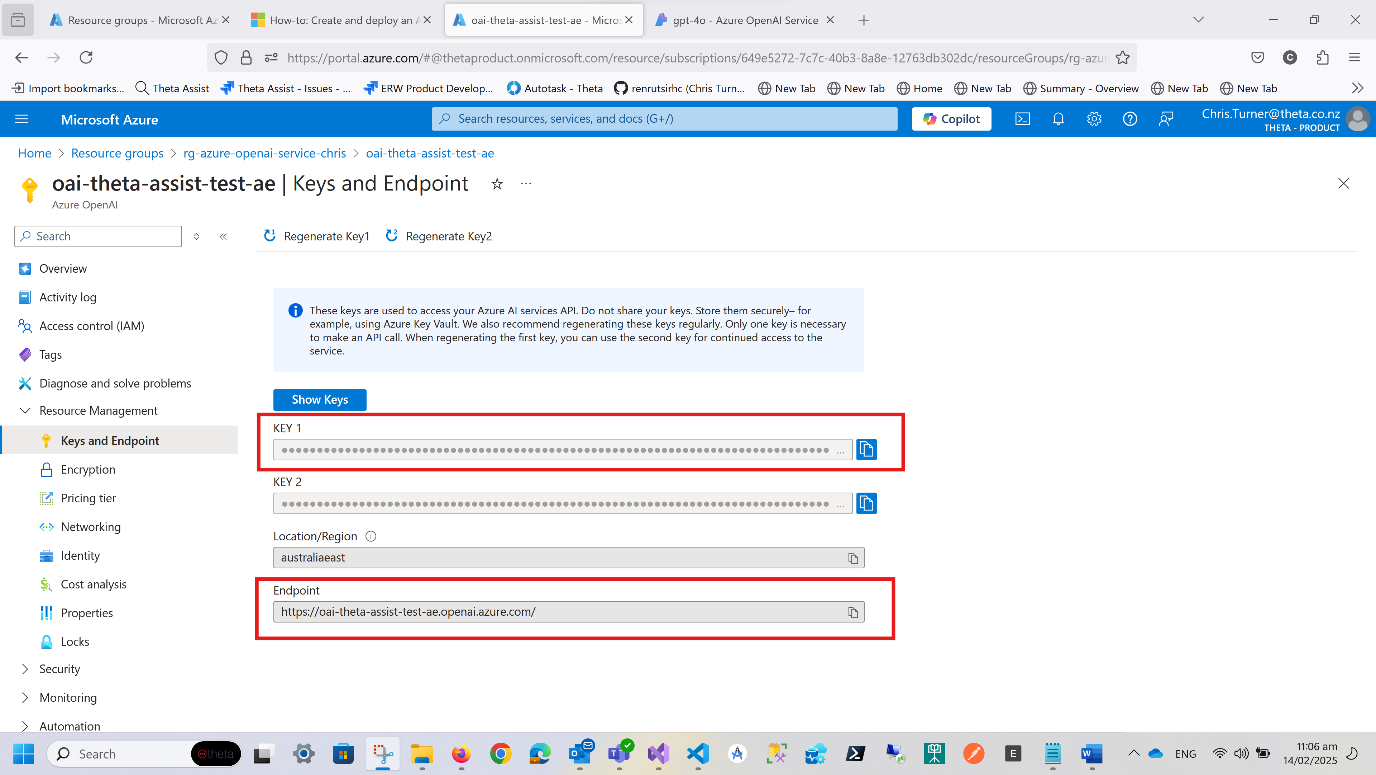
Once done, navigate to the resource group where you deployed your Azure OpenAI resource.
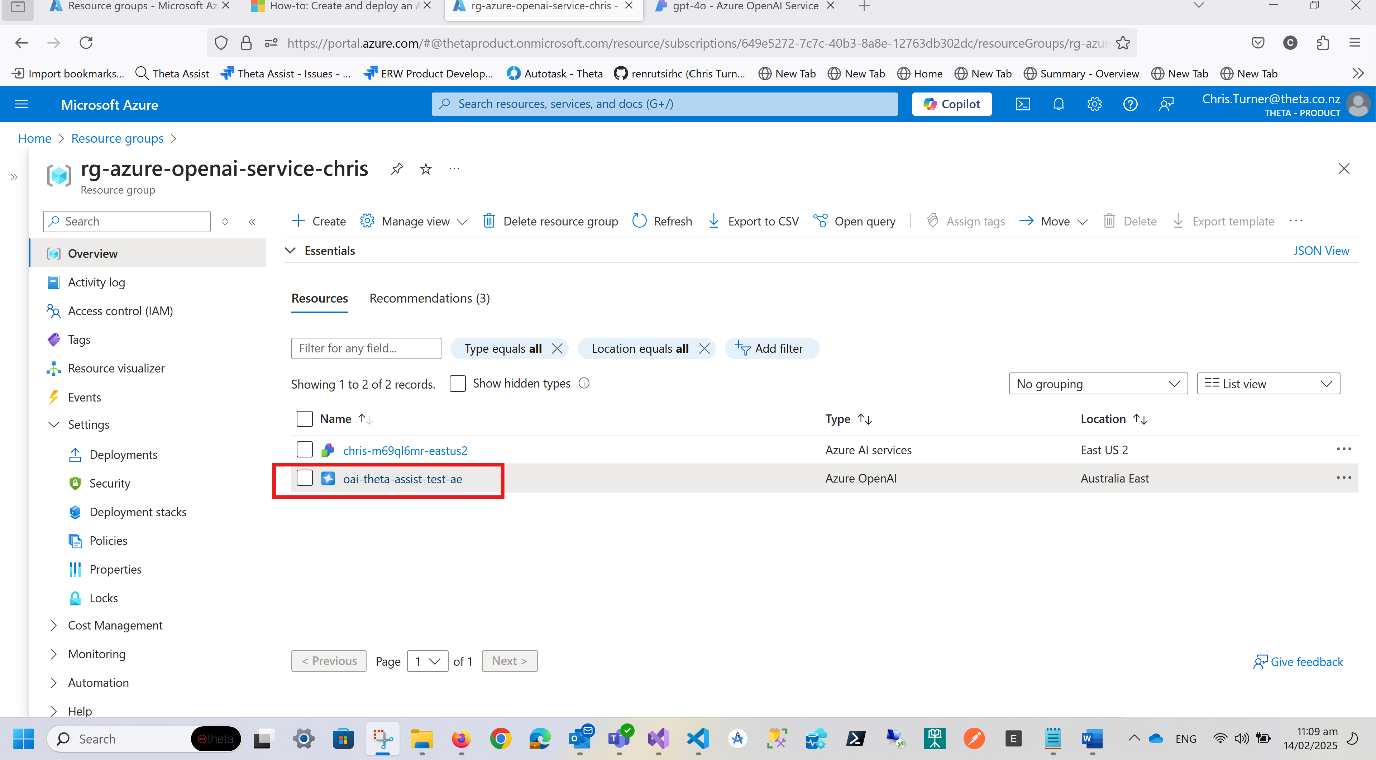
Open the resource and navigate to Resource Management > Keys and Endpoint
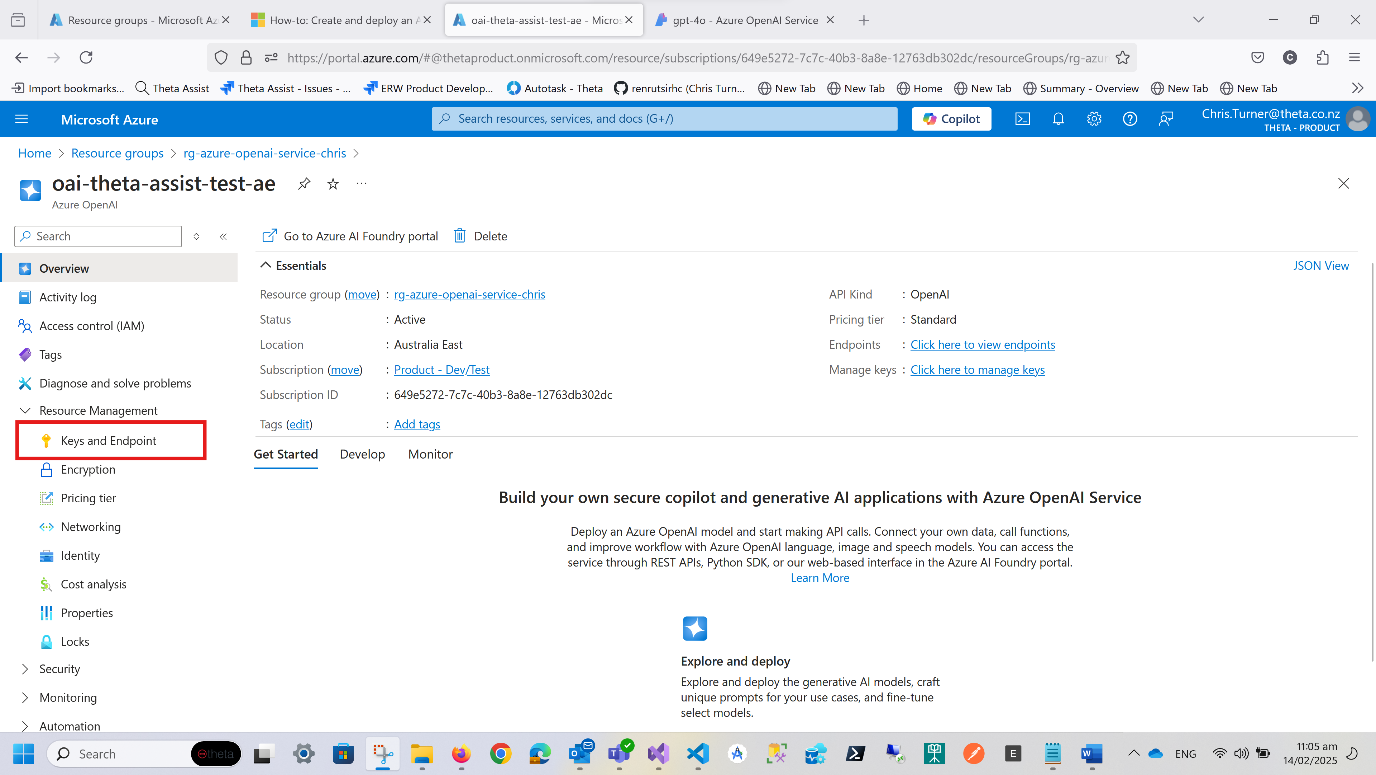
You will find your endpoint and keys here. Copy these to the fields in your Theta Assist installation wizard.